Whether you’re a product designer in Pune, an engineering student in Chennai, or a small-batch manufacturer in Ahmedabad, the shift to multi-color 3D printing is one upgrade you don’t want to miss. A single print run can now produce parts with two, four, or even sixteen distinct colors — no post-processing, no manual painting, no guesswork.
India’s 3D printing market is growing fast. Affordable desktop printers, premium industrial machines, and a wider selection of filaments have put full-color prototyping within reach of small studios and large OEMs alike. But with so many options on the shelves, choosing the right printer and the right technology can feel overwhelming.
This guide breaks it all down: how multi-color printing works, which technologies suit which use cases, the best printers available in India right now, and a practical buying checklist to help you spend wisely. If you’re looking for professional 3D printers that can handle real-world color complexity, read on.
1. What Is Multi-Color 3D Printing?
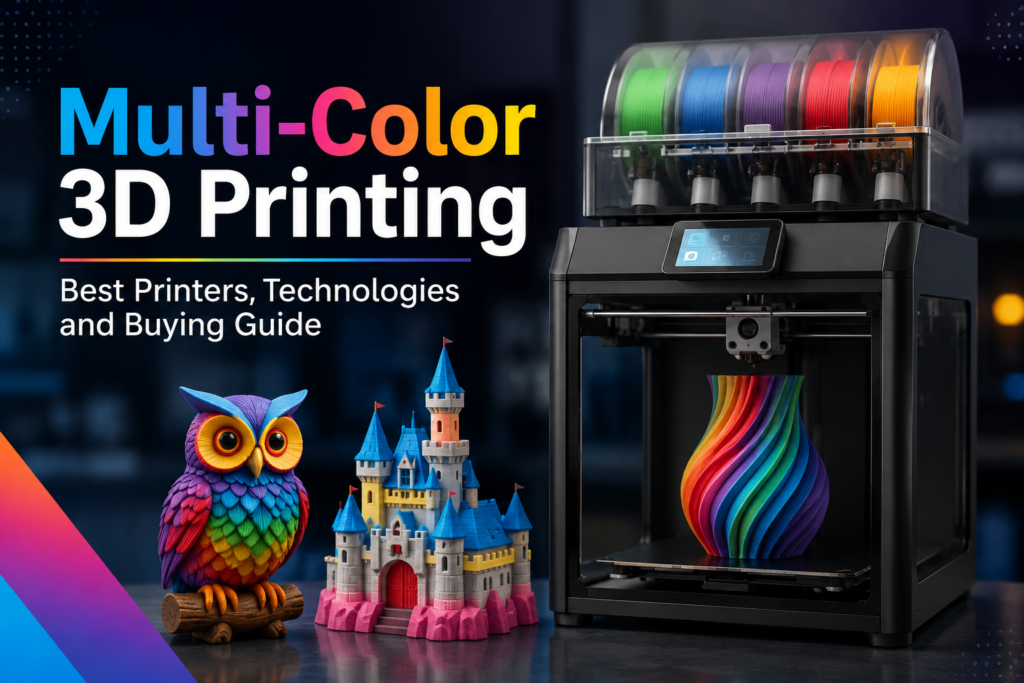
Multi-color 3D printing is the process of producing a single object using two or more filament colors in one uninterrupted print job. Unlike single-color printing — where you get one solid hue from start to finish — multi-color systems switch materials mid-print, layer by layer, to create gradient effects, distinct color zones, or even functional multi-material parts.
For product companies, this means a working prototype that actually looks like the final product. For educators, it means anatomy models where bones and tissue are different colors. For retail brands, it means custom display pieces and signage produced on-site without outsourcing.
2. How Does Multi-Color 3D Printing Work?
At its core, a multi-color printer follows the same layer-by-layer FDM (Fused Deposition Modelling) process as any standard machine — but adds a mechanism for switching filaments. Here’s the short version:
- The slicer software divides the 3D model into color zones and generates tool change commands at specific layers.
- At the designated layer, the printer pauses, purges the current filament color, loads the next color, and resumes.
- Purge towers or wipe mechanisms remove the mixed filament before it touches the actual part.
- The completed print emerges with clean color boundaries and minimal bleed — if the machine and slicer settings are dialed in correctly.
Advanced systems handle this switching automatically using AMS (Automatic Material Systems) or multi-extruder toolheads. At 3D ProtoFarm, we’ve tested a wide range of these systems to help Indian buyers make informed choices.
3. Types of Multi-Color 3D Printing Technologies
Not all multi-color printing is created equal. The three main technology approaches differ in complexity, print quality, and cost:
FDM with Filament Switching: The most common approach in India. Uses a single nozzle that switches between filament spools. Affordable, widely supported, and works with PLA, PETG, and ABS. Color boundaries can show slight bleed.
Multi-Nozzle / Dual Extruder: Uses two or more physically separate nozzles, each loaded with a different filament. Better color separation and supports printing soluble support material alongside structural filament. Popular in engineering environments.
AMS (Automatic Material System): Pioneered by Bambu Lab, this approach auto-feeds up to four filament spools through a single nozzle with smart purging. Fast, reliable, and increasingly popular for desktop color printing in India.
For a broader look at printing technologies, explore 3D printing solutions on the 3D ProtoFarm blog.
4. Single Nozzle vs Dual Extruder vs AMS Systems
The right system depends on your budget, volume, and the complexity of parts you need. Here’s a practical comparison:
Single nozzle systems are entry-level and widely available. They’re great for hobbyists and students who want to experiment with color without a large investment. The trade-off is slower color changes and a higher chance of color bleed at transition zones.
Dual extruder setups offer cleaner results and are better suited for functional prototypes. They support soluble PVA supports, which means complex internal geometries come out cleanly. Engineers and product designers often prefer this route.
AMS-style systems, popularized by Bambu Lab 3D printers, are the current sweet spot for desktop multi-color printing. They handle up to sixteen colors (with multiple AMS units) and automate the filament loading and purging cycle. Print time is longer due to purging, but the output quality is excellent for prototyping and presentation models.
5. Best Multi-Color 3D Printers in 2026
Here are the top multi-color 3D printers available in India for 2026, categorized by use case:
Bambu Lab X1 Carbon AMS Combo: The standout choice for serious desktop multi-color printing. Supports four filaments per AMS unit, achieves print speeds of up to 500 mm/s, and integrates neatly with Bambu Studio for intuitive color zone assignment. Best for product designers and brand agencies producing presentation prototypes.
Bambu Lab P1S AMS Combo: A more budget-friendly Bambu option with an enclosed chamber and solid multi-color capabilities. Excellent for engineering-grade materials alongside color printing. Still significantly faster than most competing machines.
Creality Ender-3 V3 KE with CRTouch: While not a native multi-color machine, it’s widely used in India as a cost-effective entry point, often paired with a filament splitter for simple dual-color work. Creality 3D printers offer strong community support and affordable replacement parts.
Bambu Lab A1 Mini AMS Combo: The most compact multi-color Bambu in the lineup. Fits on a standard office desk, handles PLA and PETG with four-color support, and is ideal for educational institutions and small studios in India’s Tier 2 cities.
Prusa XL with Multi-Tool Head: The professional European option. Five independent toolheads, no purge tower, and exceptional print quality. Higher price point, but unmatched reliability for production-grade multi-color output.
6. Best Filaments for Multi-Color Printing
Filament quality matters more in multi-color printing than single-color work. Poor-quality spools cause jams during filament changes, color bleed at transition zones, and inconsistent surface quality. For reliable results, use filaments from proven brands.
- PLA: The most beginner-friendly material. Low warping, vibrant color rendering, and compatible with nearly every multi-color system. Ideal for models, prototypes, and display pieces.
- PETG: Better temperature resistance than PLA. Good for functional parts that will be handled. Slightly more prone to stringing during filament changes, so purge towers need to be larger.
- ABS: Harder to manage in multi-color setups due to warping, but necessary for parts that need high heat resistance. Requires an enclosed printer and careful temperature management.
- TPU (flexible): Used alongside rigid filaments for multi-material parts, such as grips on tools or gaskets in prototypes. Not all multi-color systems support TPU — verify compatibility before purchasing.
Check out the range of Vividmaker filaments available at 3D ProtoFarm, chosen specifically for their dimensional consistency and color accuracy across FDM machines.
7. Industrial Applications of Multi-Color 3D Printing
Multi-color printing isn’t just for hobbyists. Across Indian industries, it’s being adopted for a range of practical applications:
- Automotive: Dashboard panel prototypes with color-coded buttons and bezels. Reduces design iteration time from weeks to days.
- Medical & Pharma: Anatomical teaching models with differentiated tissue zones. Used by medical colleges and surgical training programs.
- Architecture & Real Estate: Building models with colored zones for zoning plans, utility layouts, and marketing presentations.
- Consumer Electronics: Housing prototypes with logo inserts, button highlights, and indicator rings in precise color placement.
- Education: STEM learning models — from biology diagrams to physics apparatus — that are more engaging than single-color alternatives.
For a deeper look at industrial adoption, read the commercial guide to industrial 3D printers on our website.
8. Advantages of Multi-Color 3D Printing
- Eliminates post-processing: No hand-painting, no masking tape, no spray booth.
- Faster prototyping cycles: Color-accurate prototypes come off the bed ready for client presentations.
- Cost efficiency at low volumes: One printer, one job, one finished part — no minimum order quantity.
- Design accuracy: What you design in software is what you get in physical form, including color zones.
- Material flexibility: Combine rigid and flexible materials in the same print for functional testing.
These advantages are especially significant when compared to SLA and SLS technologies. For a side-by-side breakdown, see our FDM vs SLA vs SLS comparison.
9. Limitations of Multi-Color Printing
No technology is without trade-offs. Here’s what to keep in mind before investing:
- Longer print times: Filament changes and purging add significant time to each print. A job that takes 4 hours in single-color might take 7 to 10 hours in multi-color.
- Filament waste: Purge towers use material that gets discarded. Factor this into your per-part cost calculation.
- Color bleed: At filament transition zones, minor bleed is common — especially between dark and light colors. Proper purge settings reduce but don’t eliminate this entirely.
- Slicer learning curve: Multi-color slicing requires familiarity with color assignment, purge settings, and tool change sequences. Expect a few failed prints while learning.
- Higher upfront cost: A quality multi-color setup — printer plus AMS — costs significantly more than an equivalent single-color machine.
Keep up with evolving best practices by reading the latest 3D printing blogs from our team.
10. Buying Guide: How to Choose the Right Multi-Color 3D Printer
Use this checklist when evaluating options:
- Define your use case first: Presentation prototypes, functional engineering parts, and educational models all have different requirements. Don’t buy industrial capacity if a desktop machine covers your needs.
- Count your colors: If you need two colors, a dual extruder machine is cost-effective. If you need four or more, look at AMS-based systems.
- Check filament compatibility: Confirm the printer supports the materials you actually need — not just PLA. If you need ABS or TPU, the printer must have an enclosure and proper temperature control.
- Evaluate slicer support: Good multi-color printing requires a capable slicer. Bambu Studio, PrusaSlicer, and Cura all support multi-color workflows but with different feature sets.
- Factor in consumables cost: Purge filament, replacement nozzles, and AMS maintenance parts add to the total cost of ownership.
- Ask about local support: For buyers in India, proximity to service support and availability of spare parts matters. Choose a supplier with local experience.
Ready to browse? Shop professional 3D printers at 3D ProtoFarm with India-specific pricing and shipping.
11. Why Buy from 3D ProtoFarm?
3D ProtoFarm is one of India’s dedicated sources for professional 3D printing equipment, filaments, and expertise. Based in Rajkot, Gujarat, we serve buyers across India with curated hardware from leading global brands, India-specific pricing, and pre-sales technical support that goes beyond the spec sheet.
We carry Bambu Lab’s full AMS lineup, Creality’s desktop range, and filaments from Vividmaker — all tested in real Indian conditions: variable power quality, ambient humidity in coastal cities, and the practical needs of SME manufacturers.
Whether you’re setting up your first 3D printing workstation or expanding an existing fleet, visit 3D ProtoFarm to explore what’s in stock and get expert guidance before you buy.
12. Frequently Asked Questions
What is the best multi-color 3D printer for beginners in India?
The Bambu Lab A1 Mini AMS Combo is currently the top recommendation for beginners in India. It’s compact, easy to set up, handles four colors, and works reliably with PLA straight out of the box. The Bambu Studio slicer has a simple color assignment interface that reduces the learning curve significantly.
How many colors can a 3D printer print at once?
With a standard AMS unit, most Bambu Lab printers support four colors in a single print. With multiple AMS units daisy-chained, you can extend this to eight or sixteen colors on the same machine. Industrial systems offer even more, though cost increases sharply.
Is multi-color 3D printing more expensive than single-color?
Yes, on both the hardware and per-print basis. The printer and AMS system cost more upfront, and each print uses extra filament in the purge tower. However, you save significantly on post-processing labor and outsourced painting services, which often offsets the cost in production environments.
Which filament brand works best for multi-color printing in India?
Consistent diameter and low moisture absorption are critical. Vividmaker filaments available at 3D ProtoFarm are specifically selected for these qualities and perform well in Indian humidity conditions.
Can I retrofit my existing single-color printer for multi-color printing?
In some cases, yes. Filament splitters and Y-connectors can add basic dual-color capability to single-extruder machines, but results are inconsistent. For reliable multi-color output, a purpose-built multi-color system is a better long-term investment.