Resin 3D printing has moved fast in India. What used to be a niche hobby for miniature painters is now a serious toolset for jewelry designers, dental labs, product engineers, and small print farms. One name keeps coming up: the Anycubic Photon P1. This Anycubic Photon P1 review breaks down what the printer offers, who it suits, and whether it deserves a spot on your workbench in 2026.
Whether you’re printing miniatures, jewelry masters, dental models, or engineering prototypes, the P1 promises industrial-style precision in a desktop footprint. This Anycubic Photon P1 review looks at real-world performance, running costs, and honest trade-offs so you can decide with confidence.
What is the Anycubic Photon P1?
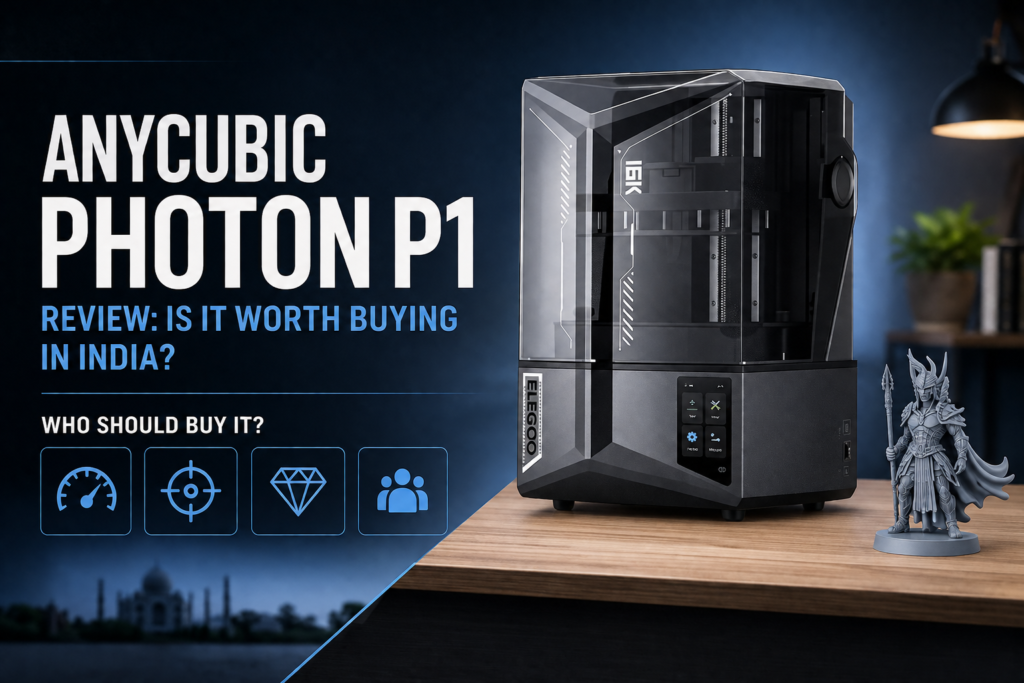
The Anycubic Photon P1 is a monochrome LCD (MSLA) resin 3D printer built for prosumers and small businesses who need more consistency than an entry-level machine offers. It uses a 14K high-resolution LCD panel paired with Anycubic’s LighTurbo 4.0 light engine to cure UV resin layer by layer with tight tolerances.
Unlike hobbyist-grade resin printers, the P1 leans on an industrial-grade ball screw and dual linear guide rails for its Z-axis motion, keeping layer lines consistent even during long, detailed prints. It suits people who’ve outgrown a basic resin printer and want a machine that handles miniatures on Monday and engineering prototypes on Friday — a well-rounded SLA alternative at this price point.
Key Features
High-Resolution 14K LCD Screen
A 10.1-inch mono LCD with ~16.8 x 24.8 micrometer XY pixels means finer surface detail on miniatures, sharper jewelry engravings, and cleaner dental model edges.
Precision Light Source (LighTurbo 4.0)
An aspherical Fresnel lens keeps light output uniform across the build plate — fewer soft spots, consistent prints front to back.
Automatic Leveling and Smart Assistant
A leveling self-check and real-time force feedback remove much of the guesswork from bed setup, saving trial and error versus manual Z-offset tuning.
High-Speed, High-Viscosity Printing
Support for resins up to 8,000 cps means the P1 handles both standard resins and thicker engineering-grade formulations many budget printers can’t pull through cleanly.
Stable Z-Axis Design
The industrial ball screw and dual-rail system reduce wobble — important on tall miniatures, jewelry masters with fine spires, or tall engineering brackets, where vibration shows up as visible ridges.
Wave Release Technology
Reduces peel force by up to 60% versus standard FEP films, lowering failed-layer risk and extending release film life.
Touchscreen Interface and Connectivity
A simple touch interface plus Wi-Fi and USB connectivity makes starting and monitoring prints easy for first-time resin printer owners too.
Dynamic Temperature Control
An optional heated resin vat keeps viscosity stable in cooler rooms — useful for buyers in northern Indian cities during winter.
Complete Technical Specifications
| Specification | Details |
|---|---|
| LCD Resolution | 14K monochrome, 10.1-inch (13,312 x 5,120 px) |
| XY Pixel Size | ~16.8 x 24.8 micrometers |
| Build Volume | 223 x 126 x 230 mm (6.5L) |
| Layer Height | 0.01–0.2 mm (typical) |
| Print Speed | Up to 170 mm/h |
| Light Source | LighTurbo 4.0, 405nm UV, heated vat option |
| Display | Touchscreen control panel |
| Connectivity | USB, Wi-Fi, Anycubic App |
| Resin Compatibility | Up to 8,000 cps viscosity |
| Machine Dimensions | 42 x 43 x 62 cm |
| Weight | 17.6 kg |
These specifications position the P1 firmly in the prosumer category — a step above hobbyist resin printers, without industrial pricing.
Print Quality & Performance
Fine detail reproduction is where the 14K screen earns its keep — crisper facial details on miniatures, sharper armor edges, tight layer consistency on tall prints, and smooth vertical walls with minimal banding. Support removal is straightforward with default resin profiles, and accuracy holds up well for dimensionally sensitive work:
- Miniatures: Sharp detail on 28-32mm scale figures.
- Jewelry masters: Fine engravings and thin prongs for lost-wax casting.
- Dental models: Consistent accuracy for aligners and surgical guides.
- Engineering prototypes: Tough and high-temp resin support for functional testing.
Material Compatibility
A key factor in any Anycubic Photon P1 review is resin flexibility:
| Material | Compatible | Typical Applications |
|---|---|---|
| Standard Resin | Yes | General prototyping, hobby prints |
| ABS-Like Resin | Yes | Functional parts, snap-fit prototypes |
| Tough Resin | Yes | Mechanical prototypes, brackets |
| Flexible Resin | Yes | Gaskets, wearable prototypes |
| Water Washable Resin | Yes | Beginner-friendly cleanup, small models |
| High Temp Resin | Yes | Heat-resistant fixtures, tooling jigs |
| Castable Resin | Yes | Jewelry casting masters |
| Dental Resin | Yes | Dental models, aligners, guides |
Real-World Printing Experience
Setup is quick — unbox, level, load resin, print. First-timers should spend 20–30 minutes reading resin profiles first, since exposure settings still affect success rate. Resin handling follows standard MSLA practice: gloves, ventilation, and minimal UV exposure before curing. Cleaning is easy thanks to quick-release levers on the build platform and vat. Print success rates run high once exposure settings are dialed in, and the smart leveling system cuts down first-layer failures — a detail that comes up in almost every Anycubic Photon P1 review from real owners.
Running Costs
Running a resin printer isn’t just the upfront cost. Expect ongoing spend on:
- Resin: 100-300ml per typical print, depending on size and infill.
- Electricity: Modest; UV curing and vat heating draw low wattage.
- Release film: Wave Release film lasts longer than standard FEP but still needs periodic swaps.
- LCD lifespan: Typically 1,500-2,000+ print hours before brightness degrades.
- Cleaning supplies: IPA or water-washable resin, gloves, filters.
Costs vary by print size, resin type, and frequency — an occasional hobbyist spends far less than a print farm running daily batches.
Advantages
This Anycubic Photon P1 review found several standout strengths:
- Excellent fine-detail print quality from the 14K screen
- Beginner-friendly setup with automatic leveling
- Reliable, vibration-resistant mechanical design
- Wide resin compatibility, including high-viscosity engineering resins
- Strong value against comparable 14K printers in its price bracket
- Good software support through Photon Workshop slicer
- Wi-Fi connectivity and app monitoring
Limitations
- Build volume (223 x 126 x 230 mm) is moderate — not ideal for large batch production or oversized models
- Resin handling still requires care, gloves, and proper ventilation
- Post-processing (washing and curing) adds time to every print cycle
- A dedicated, ventilated workspace is strongly recommended given resin fumes
Who Should Buy the Anycubic Photon P1?
- Beginners moving up from an entry-level resin printer
- Hobbyists and miniature creators wanting paint-ready detail
- Jewelry designers needing precise castable masters
- Dental professionals needing accurate dental resin prints
- Product designers and engineers needing functional prototypes
- Small businesses and print farms needing dependable, repeatable output at a moderate build volume
If you regularly print large batches or oversized parts, a printer with a bigger vat — like the Elegoo Saturn 4 Ultra 16K — may suit you better.
Anycubic Photon P1 vs Similar Resin Printers
| Feature | Anycubic Photon P1 | Elegoo Saturn 4 Ultra 16K |
|---|---|---|
| Build Volume | 223 x 126 x 230 mm | Larger (16K screen, bigger plate) |
| Resolution | 14K | 16K |
| Ease of Use | Very beginner-friendly | Beginner-friendly |
| Speed | Up to 170 mm/h | Comparable, model-dependent |
| Value | Strong for detail-focused work | Strong for large-batch printing |
| Best User | Miniatures, jewelry, dental, prototypes | Large models, batch production |
Both printers are well-regarded MSLA printer options; the right pick in this Anycubic Photon P1 review comparison depends on whether detail and workflow simplicity or raw build volume matters more for your use case.
Frequently Asked Questions
Is the Anycubic Photon P1 worth buying in India? For buyers focused on detail-heavy work — miniatures, jewelry, dental models, prototypes — yes. Whether the Anycubic Photon P1 is worth buying comes down to fit within its build volume; if your projects fit, the precision justifies the price.
Is it suitable for beginners? Yes. Automatic leveling, a smart assistant, and a touchscreen interface make it approachable for first-time resin printer owners.
Can it print dental resin? Yes, with accuracy suitable for dental models, aligners, and surgical guides, subject to your workflow’s certification requirements.
Can it print jewelry models? Yes. Fine XY resolution and castable resin compatibility make it strong for jewelry printing and lost-wax casting masters.
How much resin does it consume? This varies by size and infill, but typical prints use 100-300ml of UV resin per job.
Is maintenance expensive? Not particularly. Costs are mainly resin, occasional release film replacement, and eventual LCD replacement — standard for any MSLA printer.
What slicer software does it support? Anycubic’s Photon Workshop slicer, which includes one-click slicing and automatic support generation.
What accessories should I buy with it? A wash and cure station, extra release film, nitrile gloves, and compatible UV resin cover the essentials.
Is it better than other resin printers in its price range? It’s competitive. The 14K resolution and industrial-grade build put it ahead of many similarly priced options, though buyers wanting more build volume should compare the Saturn 4 Ultra 16K.
Where can I buy a genuine Anycubic Photon P1 in India? Buy from an authorized reseller for warranty coverage, genuine parts, and local support — this is exactly the kind of purchase where buying from a trusted 3D Printer Store India pays off long term.
Conclusion
This Anycubic Photon P1 review comes down to a clear verdict: it’s one of the more capable prosumer resin printers available in India right now. For beginners, it offers a forgiving, automated setup. For professionals — jewelry designers, dental technicians, engineers — it delivers the detail and viscosity range needed for serious work. For small businesses and print farms, it’s dependable and repeatable, provided models fit within its build volume. Educational institutions exploring additive manufacturing will also find it a solid entry point.
Its strengths are clear: excellent print quality, strong mechanical stability, and genuine ease of use. Its main limitation is build volume, which won’t suit everyone chasing large-scale batch production.
If the Anycubic Photon P1 fits your project size, it’s a genuinely strong buy. Explore genuine Anycubic resin printers, UV resins, wash & cure machines, spare parts, and expert local support at 3DProtoFarm — including the Anycubic Photon P1 itself, a compatible Wash & Cure Machine, and UV Resin to get started. For a deeper comparison, read our guide on the best resin 3D printers for engineering, dentistry, and product design, or our breakdown of FDM vs SLA vs SLS 3D printing technologies. Need help choosing or setting up? Our 3D Printing Services team in Rajkot is ready to help.