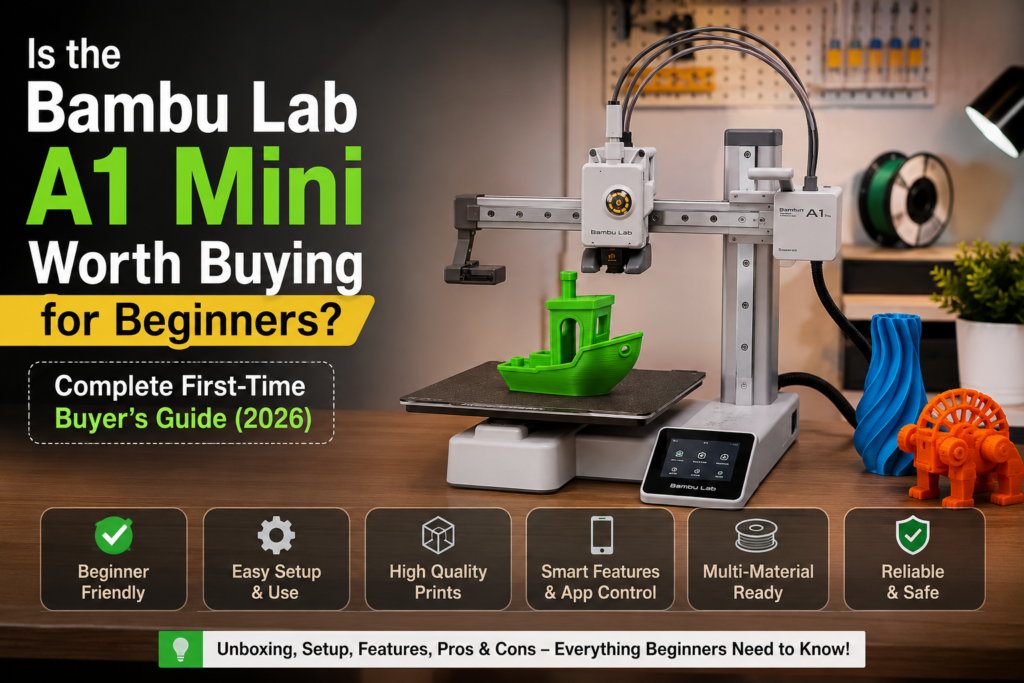
2026 has turned into the year home 3D printing finally became approachable for everyone, not just engineers and hobbyists with a workshop full of tools. Printers now set themselves up, calibrate on their own, and connect to an app in minutes. This shift toward plug and play 3D printer design is exactly why so many students, parents, schools, and first-time makers are asking one question: is Bambu Lab A1 Mini worth it for someone who has never touched a 3D printer before?
Affordable desktop printing and a growing number of small businesses using compact machines to prototype products have pushed beginner-friendly printers into the spotlight. The Bambu Lab A1 Mini sits at the center of this trend. This guide breaks down who it suits, what it can print, real running costs, and how it compares to the Combo version.
Who Should Buy the Bambu Lab A1 Mini?
If you are picking your very first machine, the Bambu Lab A1 Mini is built with you in mind, and this is where the is Bambu Lab A1 Mini worth it question starts to answer itself. Its automatic calibration and simplified assembly remove most of the guesswork that used to scare beginners away from 3D printing.
It’s a strong fit for:
- Beginners and students who want a best beginner 3D printer without a steep learning curve
- Schools running STEM labs where multiple students need a reliable, low-maintenance printer
- Hobbyists and DIY makers printing personal projects, brackets, and repair parts
- Home users and parents looking for an educational 3D printer that’s safe enough for supervised use by kids
- Engineers who need fast, low-cost prototypes on their desk instead of waiting on an external print farm
A college student designing a robotics chassis or a parent helping a child print a science-fair model can both get real value from this machine on day one.
Who Should Avoid It?
The A1 Mini is not built for every use case, and being upfront about its limits is part of answering is Bambu Lab A1 Mini worth it honestly.
Consider a different machine if you are:
- Running an industrial manufacturing operation needing continuous, heavy-duty output
- Printing objects that need a very large build volume
- Operating a high-volume print farm where enclosure control matters more than price
- Working with nylon or other engineering-grade materials that need heated, enclosed chambers
For these situations, browse Professional 3D Printers built for enclosed, high-output printing instead.
What Can You Print?
This is where the A1 Mini genuinely shines. Its compact size doesn’t limit creativity.
| Category | Examples | Recommended Filament |
|---|---|---|
| Toys & Miniatures | Action figures, tabletop figures, dioramas | PLA |
| Home Décor | Vases, wall art, planters | PLA / PETG |
| Functional Items | Phone stands, desk organizers, cable clips | PETG |
| Educational Models | Anatomy models, geometric shapes, molecule kits | PLA |
| Mechanical Prototypes | Brackets, gears, enclosures | PETG |
| Cosplay Accessories | Helmets, props, armor pieces | PLA / PETG |
| Replacement & Kitchen Parts | Clips, knobs, hooks, holders | PETG |
| Personalized Gifts & Art | Nameplates, keychains, sculptures | PLA |
For anyone new to filaments, PLA printing is the easiest starting point, while PETG printing suits parts that need more durability and heat resistance.
Real Printing Costs
One of the most common questions before buying is how much it actually costs to run. Here’s a realistic breakdown for home use.
| Cost Factor | Approximate Cost |
|---|---|
| PLA filament (per kg) | ₹1,200–₹1,800 |
| PETG filament (per kg) | ₹1,500–₹2,200 |
| Electricity (per hour of printing) | ₹1.5–₹3 |
| Nozzle replacement (every 3–6 months) | ₹300–₹600 |
| Build plate / wear parts | ₹800–₹1,500 annually |
Small prints like phone stands or keychains often cost only ₹10–₹40 in material, while larger décor pieces naturally consume more filament and electricity. Cost scales directly with print size, and this remains one of the more affordable ways to explore home 3D printing on a tight budget.
Bambu Lab A1 Mini vs A1 Mini Combo
A big part of the buying decision comes down to choosing between the standalone A1 Mini and the Combo bundle.
| Feature | A1 Mini | A1 Mini Combo |
|---|---|---|
| AMS Lite | Not included | Included |
| Multi-color printing | Not supported | Supported (up to 4 colors) |
| Price | Lower upfront cost | Higher upfront cost |
| Accessories | Basic setup only | AMS Lite, extra spools support |
| Upgrade path | Can add AMS Lite later | Fully ready out of the box |
| Best for | Absolute beginners, single-color prints | Makers wanting multi-color printing from day one |
| Value for money | Excellent for tight budgets | Excellent if multi-color matters to you |
If you’re just testing the waters, the standalone version is a smart, low-risk entry point. If multi-color printing matters right away, the Bambu Lab A1 Mini Combo saves you the cost of buying AMS Lite separately later.
Beginner Setup Guide
Bambu Lab A1 Mini setup is one of the simplest in the industry, which is another reason so many first-timers find is Bambu Lab A1 Mini worth it an easy yes. Here’s what to expect:
- Unboxing – Remove packaging foam and check for shipping clips
- Assembly – Attach the gantry and toolhead using the included screws (usually under 15 minutes)
- Auto calibration – The printer self-levels the bed and calibrates the nozzle automatically
- Wi-Fi connection – Connect to your home network through the touchscreen
- Installing Bambu Studio – Download the slicer software on your computer or phone
- Loading filament – Insert your spool and let the printer auto-load it
- First test print – Run a small pre-loaded model to confirm everything works
- Routine maintenance – Clean the nozzle and check belts every few weeks
Beginner tip: start with a small, simple model for your first print so you can catch any issues early.
Common Questions Before Buying
- Is assembly difficult? No, most users finish in under 20 minutes.
- Is it noisy? Quieter than most budget printers, fine for a bedroom or office desk.
- Does it need constant calibration? No, automatic calibration handles this before every print.
- Which filament should I start with? PLA is the easiest for new users.
- How much space is required? A small desk corner is enough given its compact footprint.
- Is Wi-Fi mandatory? Recommended for remote monitoring, but not strictly required.
- Can children use it? Yes, with adult supervision near the hot nozzle.
- Is it safe at home? Yes, with basic supervision and ventilation.
Weighing these advantages and limitations together is really how you answer is Bambu Lab A1 Mini worth it for your own situation.
Advantages
- Easy, beginner-friendly setup
- Excellent print quality for its price point
- Fast printing speeds compared to older budget machines
- Reliable automatic calibration
- Stable, well-supported slicer software
- Compact size that fits small desks
- AMS Lite compatibility for future upgrades
Limitations
- Smaller build volume than full-size printers
- Open-frame design, less ideal for ABS or high-temperature materials
- Limited support for advanced engineering materials
- AMS Lite adds extra cost if not bought in the Combo
Frequently Asked Questions
1. Is Bambu Lab A1 Mini worth buying? For beginners and hobbyists focused on PLA and PETG printing, yes — it’s a reliable, well-priced entry point into home 3D printing.
2. Is the A1 Mini good for beginners? Yes. Automatic calibration and a plug and play 3D printer design mean minimal setup knowledge is needed before your first successful print.
3. Is the Combo version worth the extra cost? If multi-color printing matters to you, the Combo’s AMS Lite makes it worthwhile. Otherwise, the standalone version is more budget-friendly.
4. Can it print PETG? Yes, PETG printing works well for durable, functional parts, though it needs slightly more careful temperature tuning than PLA.
5. Can it print TPU? It can handle flexible TPU in small quantities, usually at a reduced print speed.
6. How much electricity does it use? Typically ₹1.5–₹3 per hour of active printing.
7. Is maintenance expensive? No. Routine maintenance mainly means occasional nozzle replacement and keeping the build plate clean.
8. How long does setup take? Most users finish unboxing, assembly, and their first print within 30–45 minutes.
9. Can I use third-party filament? Yes, though Bambu-branded filament often works more seamlessly with the printer’s built-in profiles.
10. Where can I buy a genuine Bambu Lab A1 Mini in India? Always buy from an authorized seller to ensure warranty coverage, such as the Bambu Lab A1 Mini Combo listing from a trusted retailer.
Final Verdict
So, is Bambu Lab A1 Mini worth it in 2026? For most first-time buyers, yes.
- Beginners and students get an approachable, low-cost way to learn 3D printing.
- Schools benefit from reliability across multiple users and low running costs.
- Hobbyists get strong print quality for miniatures, décor, and personal projects.
- Home users and parents get a compact, relatively safe machine for supervised family use.
- Small businesses get an affordable prototyping tool, though high-volume needs should look elsewhere.
Choose the standalone A1 Mini if you’re testing the waters. Choose the A1 Mini Combo if multi-color printing is part of your plans from day one.
Whichever version fits your needs, you can explore genuine Bambu Lab printers, filaments, spare parts, and expert setup support at 3D Printer Store India. Browse PLA Filament and PETG Filament to get started on your first prints, or check out our Best 3D Printer India 2026 roundup and How to Choose a 3D Printer guide, along with our 3D Printing FAQs page, before you make your final call.